
blog
10 Future Uses of WebAssembly That Will Transform Cloud, Mobile, and More by 2026
Introduction
WebAssembly (Wasm) has evolved beyond its original purpose of running high-performance code in web browsers. Today, it’s making waves across many different sectors of technology, including cloud computing, mobile apps, and even blockchain. In fact, by 2026, Wasm will be at the heart of many emerging tech trends. Whether you're a developer or a tech enthusiast, it's clear that WebAssembly will have a profound impact on how applications are built and run. In this post, we’ll explore 10 ways WebAssembly is expanding beyond browsers and what you can expect from this powerful technology in the future.
In this post, we’ll explore 10 ways WebAssembly is expanding beyond browsers and what you can expect from this powerful technology in the future.
1. WebAssembly in Serverless Computing: The Future of Cloud Apps
Wasm in cloud computing is revolutionizing how applications are built and deployed in the cloud. WebAssembly allows cloud apps to run faster and more efficiently by enabling developers to write code that executes directly on the server without the need for a full runtime environment. In 2026, WebAssembly in cloud computing will become standard practice, allowing apps to scale more easily and perform tasks faster, all while reducing infrastructure costs.
2. Speeding Up Server Apps with WebAssembly
Traditional server applications are often slower because they rely on languages like JavaScript. But WebAssembly allows server-side code to run at near-native speed. Whether it's handling large-scale data or supporting real-time applications, Wasm is helping server apps process requests faster and more efficiently.
3. WebAssembly in Blockchain: Building More Efficient Decentralized Apps
One of the most exciting uses of WebAssembly in blockchain is its ability to make decentralized apps (dApps) faster, more secure, and more efficient. With blockchain platforms like Ethereum beginning to use WebAssembly for running smart contracts, Wasm is enabling blockchain apps to execute code with improved performance and lower latency. By 2026, we expect WebAssembly to be integral to blockchain technologies, making decentralized applications even more powerful and accessible.
4. WebAssembly and Edge Computing: Speeding Up Apps at the Edge
Edge computing involves processing data closer to the user, like on devices or local servers, instead of relying on distant data centers. WebAssembly makes edge computing faster and more efficient by running high-performance code directly on devices and local servers. This is particularly useful for real-time data processing in areas like IoT, gaming, and autonomous vehicles. With Wasm, developers can create apps that are quick to respond and more reliable, even when network connections are weak.
5. Why WebAssembly is Perfect for Mobile Apps
When it comes to WebAssembly and mobile apps, Wasm is making it possible to write code once and run it on both iOS and Android. This is a huge advantage for mobile developers, who can now focus on creating high-performance apps that work seamlessly across platforms without the need to write separate codebases. By 2026, WebAssembly and mobile apps will be even more powerful, providing users with faster, smoother experiences on their devices.
6. WebAssembly and IoT: Powering Small Devices with Big Power
Small devices like smart home gadgets, wearables, and sensors need to process data quickly without draining their batteries. WebAssembly in IoT is helping these devices run high-performance tasks locally, enabling real-time processing and smarter decision-making. With Wasm’s lightweight nature, even the smallest devices can run complex applications without consuming too much power, making them more efficient and responsive.
7. WebAssembly in Cloud Apps: Faster, More Scalable Software
When it comes to building cloud-native applications, WebAssembly in cloud apps is proving to be a game-changer. Wasm allows cloud applications to run faster, scale more easily, and be more reliable, making it an ideal solution for apps that need to handle large amounts of traffic or complex processes. As cloud services become more vital to modern infrastructure, WebAssembly will be crucial in building the next generation of scalable and efficient cloud applications.
8. WebAssembly and Gaming: Next-Gen Game Engines in the Browser
WebAssembly is transforming the gaming industry by enabling next-gen game engines to run directly in browsers without losing performance. WebAssembly and mobile apps are also benefiting from this shift, as developers can now create high-performance mobile games that run smoothly across different platforms. With Wasm, game developers can bring immersive gaming experiences to both the browser and mobile devices, making high-quality games more accessible than ever.
9. WebAssembly in DevOps: Faster, Smarter Software Development
DevOps teams are using WebAssembly in DevOps to speed up the software development lifecycle. Wasm allows developers to test and deploy code faster and more efficiently, reducing bottlenecks and improving collaboration between teams. With the growing reliance on continuous integration and deployment (CI/CD), WebAssembly in DevOps will continue to make development workflows smoother, enabling teams to build and release software faster.
10. WebAssembly for Data Science and AI: Supercharging Machine Learning
WebAssembly for machine learning and data science is becoming a powerful tool for researchers and developers who need to process large datasets quickly. By running data-heavy computations directly in the browser or on the server, Wasm makes it possible to build AI models and perform machine learning tasks faster than traditional methods. In 2026, we can expect WebAssembly in data science to accelerate AI-powered applications, making real-time analytics more accessible and efficient.
Conclusion
WebAssembly (Wasm) has come a long way from being just a browser technology. Today, it's transforming industries from cloud computing to mobile apps, blockchain, and beyond. As we look toward 2026, Wasm will continue to be a key player in shaping the future of software development, offering faster, more efficient solutions across the board.
If you're a developer or someone interested in the future of technology, now is the perfect time to explore WebAssembly in cloud computing, WebAssembly and mobile apps, and WebAssembly in blockchain—because the impact of this technology is only going to grow.

Key Points

Wasm in cloud computing is helping create faster, more scalable apps.

WebAssembly and mobile apps allow developers to write code once for both iOS and Android.

WebAssembly in blockchain is powering faster, more efficient decentralized applications.

Keywords: Wasm in cloud computing WebAssembly and mobile apps WebAssembly in blockchain
blog
How to Make Your Website Load in Under 2 Seconds?
In the digital world, speed is the ultimate currency. Research consistently shows that a user's patience wears thin rapidly: if your website takes more than 3 seconds to load, you risk losing over half of your potential visitors. Slow sites kill conversions, tank search engine rankings, and destroy user satisfaction. The target isn't just "fast"; it's under 2 seconds, which is the gold standard for perceived instantaneity and maximum user retention.
Achieving this blazing speed isn't magic; it's a systematic process of identifying bottlenecks and aggressively optimizing the three key areas of performance: the server, the code, and the user's browser.
Optimize the Foundation: The Server and Hosting
Your website's host is its home. If the foundation is slow, no amount of frontend optimization will save you.
  1. Upgrade Your Hosting:Shared hosting is often the bottleneck. For serious traffic, move to Virtual Private Server (VPS) or Dedicated Hosting, or consider managed cloud solutions like AWS, Google Cloud, or Microsoft Azure. These offer consistent resources and better scalability.
  2. Implement a Content Delivery Network (CDN): A CDN is non-negotiable for sub-2-second loads. A CDN is a geographically distributed network of servers. It hosts copies of your static files (images, CSS, JavaScript) closer to your users. When a user in London requests your content, they get it from a London server, not one sitting in New York. This dramatically reduces latency (the time data takes to travel).
  3. Utilize Browser Caching: Configure your server to tell the user's browser which files it should store locally and for how long (e.g., your logo). This means that on a returning visit, the browser doesn't have to re-download those static files, resulting in an instant load.
Aggressive Asset Optimization: Images and Files
Assets, especially images, are typically the heaviest components of a web page and the most common cause of slowdowns. Compress and Resize Images Ruthlessly: This is the single biggest performance gain you can make.
  • Right Format: Use JPEG for photographs, PNG for graphics needing transparency, and modern formats like WebP which offer superior compression at better quality.
  • Compress: Use tools (online or plugins) to compress images losslessly (without quality loss) or lossily (with minimal, imperceptible quality loss).
  • Resize: Ensure an image is never larger than the display area. Don't load a 3000 x 2000 px image if it only displays in a 600 x 400 px box.
Minify HTML, CSS, and JavaScript: Minification is the process of removing unnecessary characters (like comments, whitespace, and newline characters) from your code files without changing functionality. This reduces file size and speeds up parsing.
Defer Offscreen Images (Lazy Loading): Implement Lazy Loading for all images and videos below the fold (the part of the page not visible on initial load). The browser only loads these assets when the user scrolls down to them, prioritizing the visible content.
Mastering the Critical Rendering Path (CRP)
The Critical Rendering Path refers to the sequence of steps the browser takes to convert the HTML, CSS, and JavaScript into actual pixels on the screen. To load under 2 seconds, you must prioritize the immediately visible content.
Load CSS first, then JS: CSS is "render blocking"—the browser can't start drawing the page until all CSS is parsed. JavaScript is "parser blocking" and can pause the construction of the Document Object Model (DOM).
  • CSS: Use the <link> tag in the <head> section to load your essential styling first. For non-critical styles, use media queries or defer loading.
  • JavaScript: Use the defer or async attributes on your <script> tags. The defer attribute is usually best for scripts that depend on the DOM, ensuring they execute after the HTML is fully parsed.

Optimize Font Loading: Custom fonts can be huge. Use the font-display: swap; CSS property. This tells the browser to immediately show text using a fallback font and then swap to the custom font after download.
Reduce HTTP Requests: Every file (image, script, font) requires a separate HTTP request. Combine smaller CSS files into one and JavaScript files into one where possible to reduce latency.
The Continuous Audit: Testing and Monitoring
Speed optimization is an ongoing effort, not a one-time fix, requiring you to regularly audit your site using industry-standard tools like Google PageSpeed Insights (PSI), which provides a score and actionable recommendations based on both lab and field data (real user experience), and WebPageTest, which offers deep diagnostic analysis, including waterfall charts that visualize the load time of every single asset, allowing you to pinpoint exact bottlenecks.
Beyond these tools, you must closely track key metrics in Google's Core Web Vitals initiative, specifically First Contentful Paint (FCP), which measures the time until the first element of content appears on the screen, and Largest Contentful Paint (LCP), which measures the time until the largest content element (like a hero image or main block of text) is visible; both FCP and LCP must be exceptionally fast to successfully achieve the sub-2-second loading target.

Conclusion
In summary, achieving a sub-2-second load time is the modern imperative for web success, dramatically improving user retention and SEO. This speed is attained through a disciplined, four-part strategy: optimizing your server by using a CDN and robust hosting; aggressively reducing asset size through image compression and lazy loading; mastering the Critical Rendering Path by prioritizing essential CSS and deferring JavaScript; and, finally, committing to a continuous audit using tools like PageSpeed Insights to ensure your site remains lightning-fast. By applying these techniques, you transform your website from a sluggish resource consumer into a high-performance asset that delivers instant value to every user.
If you're a developer or someone interested in the future of technology, now is the perfect time to explore WebAssembly in cloud computing, WebAssembly and mobile apps, and WebAssembly in blockchain—because the impact of this technology is only going to grow.
blog
The Art of Building Websites That Look Perfect on Every Device
In the digital world, the phrase "one size fits all" is a guaranteed path to a poor user experience. We live in a multi-device reality, from smartphones and tablets to laptops and giant desktop monitors, users access the web on screens of every imaginable shape and size. As developers and designers, our mission isn't just to make a beautiful website, but to craft a fluid, adaptive experience. This is where Responsive Web Design (RWD) transforms from a trendy buzzword into an essential art form, ensuring your digital presence is not only seen but effortlessly enjoyed, no matter the viewport.
The Foundation: Why Responsive is Non-Negotiable
Ignoring the need for a responsive website today is akin to building a physical store without a ramp for accessibility; you're excluding a massive portion of your potential audience.
  • Mobile Dominance: Over half of all global web traffic now comes from mobile devices. If your site breaks or requires excessive zooming and scrolling on a phone, you've lost that user before they even see your content.
  • SEO is King: Google actively prioritizes "mobile-friendly" websites in its search rankings. A non-responsive site is a direct hit to your Search Engine Optimization (SEO), meaning fewer people will find you.
  • User Expectation: Modern users expect a seamless experience. A jarring transition from desktop to mobile doesn't just look bad; it erodes trust and professionalism.
The art of building a perfect-looking website on every device boils down to mastering four core principles.
The Mindset Shift: Mobile-First
The single most critical adjustment in RWD philosophy is the Mobile-First approach. Instead of designing a robust desktop experience and then figuring out how to strip it down for smaller screens, you start with the most constrained environment: the mobile phone.
Why this works:
  • Prioritization: Mobile-First forces you to define your core content and primary calls-to-action (CTAs) first. On a small screen, you have no choice but to ruthlessly prioritize what truly matters.
  • Performance: By focusing on the mobile version first, you are inherently designing for performance. You eliminate bloated code, huge images, and complex layouts that would slow down a mobile connection.
  • Progressive Enhancement: Once the mobile experience is flawless, you progressively enhance the design for larger viewports, adding back secondary content, richer interactions, and more complex layouts using media queries.
The Toolkit: Fluid Grids and Flexible Media
The backbone of responsiveness lies in moving away from rigid, fixed measurements like pixels (px) and embracing relative units.
Fluid Grids
Instead of defining element widths in pixels (e.g., width: 300px), you use percentages or relative viewport units (e.g., width: 30% or width: 30vw). This ensures that your layout elements shrink or expand proportionally based on the screen size, flowing gracefully to fill the available space. Modern CSS tools like Flexbox and CSS Grid are the master architects here, allowing you to create complex, yet inherently flexible, layouts with minimal effort.
Flexible Media
Images are often the biggest culprit for a broken layout. The cardinal rule here is simple: set a maximum width.
img {max-width:100%; height:auto;}
This rule ensures an image will never stretch beyond its container (breaking the layout) but will always shrink down to fit perfectly within it. For high-performance, complex image needs, techniques like the element and the srcset attribute allow you to serve a low-resolution image to a mobile user and a high-resolution one to a desktop user, optimizing both load speed and visual quality.
The Secret Sauce: Media Queries and Breakpoints
Media Queries are the key CSS technology that allows a single stylesheet to apply different rules based on the device's characteristics, most commonly its screen width.
Breakpoints are the specific screen widths where your layout needs to fundamentally change to maintain the perfect aesthetic. Crucially, your breakpoints should be content-driven, not device-driven. Don't set a breakpoint at 768px just because that's the iPad standard; set it at the point where your content starts to look cramped or ugly.
A successful design typically requires at least three major breakpoints (mobile, tablet, desktop), but for optimal results, consider five to account for ultra-wide screens and landscape mobile views. Media queries are the sculptor's tool, allowing you to fine-tune the design at each break, from adjusting column counts to changing font sizes.
The Human Element: Touch and Readability
A technically responsive site isn't enough; it must be human-responsive. This means focusing on the ergonomics of the experience.
  • Touch Targets: On a touchscreen, users interact with their fingers, not a precise mouse cursor. Interactive elements like buttons and links must be large enough to be easily tapped without accidentally hitting an adjacent element. Aim for a minimum size of 48x48 pixels to ensure a comfortable tap target, a concept known as Touch Optimization or designing for the "thumb zone."
  • Readable Typography: Text is the core of your content. Font sizes that are legible on a desktop can be too small on a phone. Use relative units (like ‘rem’ or ‘em’) for typography, or even better, CSS functions like ‘clamp()’ to set a minimum, preferred, and maximum size that scales smoothly between breakpoints, guaranteeing readability.
  • Navigation Simplicity: The complex menu bar that works well on desktop often fails on mobile. Adapt your navigation to a more compact, touch-friendly system, such as a hamburger menu or a simplified tab bar, to save screen real estate.
Conclusion: Crafting Excellence
Building websites that look perfect on every device is no longer an advanced technique; it's the professional standard. It is the art of balancing aesthetics, functionality, and performance across an endlessly fragmented landscape of devices. By adopting a Mobile-First philosophy, leveraging Fluid Grids, setting Content-Driven Breakpoints, and prioritizing Touch and Readability, you don't just build a responsive site; you craft a truly adaptive, enjoyable, and future-proof digital experience.
blog
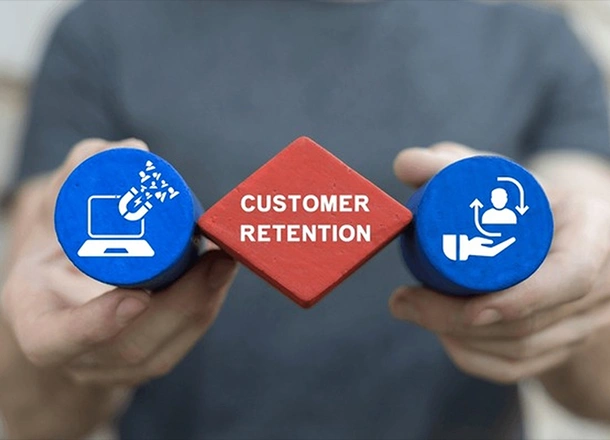
Proven User Retention Strategies to Cut Mobile App Churn Rate in Half
Mobile app churn, the percentage of users who stop using or uninstall your app over a given period, is the silent killer of growth. With the average app losing over 77% of its daily active users within the first three days after installation, the battle for user attention is fierce. Cutting your churn rate in half is an ambitious, but achievable, goal that requires a shift from mere acquisition to an obsessive focus on user value and experience.
The strategies to achieve this focus on three critical phases of the user lifecycle: Activation (Day 0-7), Engagement (Week 2-4), and Re-engagement (Long-Term).
Master the First Week: The Activation Imperative
The first seven days are the most crucial. If a user doesn't experience the app's core value—the "Aha! Moment", quickly, they're gone.
The Frictionless and Value-Driven Onboarding:
  • The days of lengthy, skip-able product tours are over. Your onboarding must be personalized, interactive, and focused on helping the user complete their first meaningful action.
  • Guide to the "Aha! Moment": Identify the single feature that defines your app's value (e.g., sending the first message, adding the first friend, completing the first workout). Design your onboarding to get the user there in three steps or fewer.
  • Interactive Walkthroughs: Use tooltips and hotspots that appear only when needed, guiding the user to perform an action themselves, rather than just clicking "Next." This builds muscle memory.
  • Progressive Profiling: Don't demand all registration details upfront. Get the minimum required to provide value (e.g., an email or social login) and request more details later, as part of a value-adding interaction.
Drive Mid-Term Engagement: The Habit Formation Loop
After the first week, the goal shifts from showing value to making the app a daily habit. This requires clever use of personalization and gamification.
Personalized In-App Messaging
Generic blasts of push notifications and in-app messages are a fast track to uninstalls. Communication must be contextual and timely.
  • Behavioral Triggers: Set up automated messages based on user actions (or inactions). For example, if a user browses a product category three times but doesn't add to the cart, trigger an in-app message offering a temporary, relevant discount or a related guide.
  • Contextual Push Notifications: Use deep linking to ensure a notification takes the user directly to the relevant screen, eliminating friction. A notification about a new message should open the conversation; a deal alert should open the product page.
  • Respect User Preferences: Always offer users the ability to customize notification frequency and types. Bombarding them is a guaranteed way to lose them.
Gamification and Reward Systems
Humans are wired to respond to points, progress, and status. Gamification leverages this to drive recurring behavior.
  • Streaks and Daily Rewards: Features like Duolingo’s language streaks or fitness app daily goal tracking encourage users to return every day to maintain their progress.
  • Milestone Celebrations: When a user hits a key metric (e.g., 50 songs saved, 10 friends added, three months of continuous use), celebrate it with an in-app badge, a personalized thank you, or a small reward. This reinforces their positive behavior.
Predict and Prevent Churn: The Long-Term Strategy
For users who are starting to disengage, a proactive strategy is essential. This relies heavily on data and superior customer experience.
Data-Driven Churn Prediction
You can't save users if you don't know they're leaving. Utilize analytics to define and track "at-risk" behaviors.
Churn Signal (Example) Actionable Intervention
Decreased Login Frequency: Daily user drops to once a week. Send a "We miss you" email with a summary of new features or content they missed.
Reduced Key Feature Usage: A user stops using the core creation tool in a productivity app. Trigger an in-app tutorial or link to a video showing a time-saving tip for that feature.
Unresolved Support Tickets: A user has an open bug report for over 48 hours. A personal email from a customer success manager with a status update, not a generic automated response.
Continuous Performance and UX Optimization
Poor performance is a top reason for uninstalls, regardless of how good your features are.
  • Lightning-Fast Loading: Aim for cold launch times of two seconds or less. Users abandon apps that take longer than 5 seconds to start.
  • Bug and Crash Zero Tolerance: Continuously monitor crash logs. Studies show that 29% of users abandon an app after three crashes. Prioritize fixing these stability issues above all else.
  • Collect and Close the Loop on Feedback: Implement easy, persistent in-app feedback widgets and NPS surveys. The most critical step is to close the loop: when you release an update that fixes a bug a user reported, reach out to them personally to let them know. This builds immense loyalty.
The Formula for Cutting Churn
To halve your mobile app churn, you must embrace a data-first, user-centric retention flywheel:
  1. Analyze: Use cohort analysis to pinpoint when users drop off (Day 1, Day 7, Day 30).
  2. Optimize: Refine the Onboarding and UX to plug early leaks.
  3. Engage: Implement Personalized, Contextual Messaging and Gamification to drive habit formation.
  4. Prevent:Prevent: Use Predictive Analytics to identify at-risk users and intervene with Proactive Customer Support.

By systematically addressing friction at every stage of the user journey, you move beyond merely acquiring users to genuinely retaining them, turning a high churn curve into a flat, sustainable retention baseline.
blog
The Trilemma of Mobile Development: Native vs. Hybrid vs. Cross-Platform
The decision of how to build your mobile application is arguably the most critical choice you’ll make, second only to the app idea itself. It dictates your development budget, time-to-market, long-term maintenance costs, and, crucially, the final user experience and performance.
There are three primary paths for mobile development: Native, Hybrid, and Cross-Platform. Each one represents a different trade-off between Performance, Cost, and Reach. Understanding these distinctions is essential for making strategic business decisions, not just technical ones.
Native: The King of Performance and UX
Native development means building an application specifically for a single platform using its original programming language and dedicated Software Development Kits (SDKs); for iOS, this involves languages like Swift or Objective-C and tools like Xcode, while for Android, it uses Kotlin or Java with Android Studio.
Pros: Unmatched Quality
Native apps offer optimal performance because they are compiled into the native code of the device's operating system (OS), providing the fastest execution speed ideal for graphics-heavy apps, games, and complex data processing. They provide a superior user experience (UX) by adhering perfectly to the platform's design guidelines (e.g., Apple's Human Interface Guidelines), ensuring the app feels perfectly natural and intuitive. Furthermore, native apps have full hardware access, giving immediate, direct, and unrestricted access to all device features, camera, GPS, NFC, sensors, and the latest OS-specific APIs, and offer the best security and stability since they benefit directly from the platform's robust built-in security features.
Cons: High Investment
The primary drawback is the double the cost and time required, as covering both iOS and Android means developing two entirely separate apps, effectively doubling the necessary time, resources, and team size, which results in a slower time-to-market. This approach also leads to higher maintenance costs since every new feature, bug fix, or OS update must be implemented and tested twice, once for each codebase.
Perfect Choice For
Native development is best for complex, high-performance apps like gaming, AR/VR, real-time analytics, or photo/video editing, as well as apps reliant on specific OS features such as Fintech/Banking (for security/biometrics) or navigation (for GPS accuracy), and for companies with large budgets where superior UX is a primary competitive advantage.
Hybrid: The Quick and Simple Web Wrapper
Hybrid apps are essentially web applications built using standard web technologies (HTML, CSS, and JavaScript) contained within a minimalist native wrapper (like Cordova or Ionic), which uses a WebView component to display the web content, allowing the app to be packaged and published to the App Stores.
Pros: Speed and Single Codebase
The main advantage is the single codebase, as the app logic is written once in web languages, drastically reducing development time and cost, leading to the fastest time-to-market, ideal for quickly validating an idea or launching a Minimum Viable Product (MVP). It also offers simplified maintenance, since updates and bug fixes only need to be applied once, and it benefits from developer familiarity as it can be built by standard web developers.
Cons: Performance and UX Trade-offs
A notable drawback is the performance lag because the app runs within a WebView (an embedded browser), making its performance slightly slower than native, which can be noticeable during complex interactions or animations. They also have limited native access, as accessing device features requires third-party plugins that can sometimes be buggy or outdated, potentially lacking full OS functionality, and they often result in an inconsistent UX where the UI looks generic or fails to perfectly match the expected feel of a native iOS or Android app.
Perfect Choice For
Hybrid apps are best for simple content-driven apps like blogs, basic e-commerce, or internal enterprise tools, for apps that already have a web presence and can reuse a lot of existing code, or for projects with tight budget constraints where core functionality and speed are prioritized over high-end performance.
Cross-Platform: The Modern Compromise
Cross-Platform development uses powerful frameworks such as Flutter (by Google) or React Native (by Meta) that enable developers to write a single codebase, which is then compiled to render components that look and perform very close to native.
Pros: The Best of Both Worlds
Cross-platform solutions offer high code reusability, with developers typically sharing 80–95% of the codebase across both platforms, and near-native performance (with Flutter compiling to native ARM code, and React Native using a bridge to access native components), resulting in performance vastly superior to hybrid apps. They allow for a faster development cycle by requiring only one team and one codebase, significantly cutting costs and time compared to native, and help maintain a consistent UI across both iOS and Android.
Cons: Dependencies and Learning Curve
A key challenge is platform dependency, as development relies on the framework provider (Google, Meta) to update their SDKs to support the newest OS features, which can sometimes result in a delay of days or weeks. Cross-platform apps can have a slightly larger app size because the framework’s runtime is often bundled with the app, making the final installation package larger than a lean native app, and native modules are still needed for edge cases or highly specific brand-new platform features, requiring a developer with native expertise.
Perfect Choice For
Cross-platform frameworks are excellent for most startup MVPs and consumer apps, such as social media, utilities, or simple service apps, where reaching both platforms quickly is essential, and for any app that needs excellent performance but cannot afford the cost of dual native development.
Summary: Choosing Your Path
The right choice is the one that best aligns with your business goals, not necessarily the most technologically advanced option, so you must strategically consider your priorities: Native delivers superior performance and UX at the highest cost and time investment, Hybrid offers the fastest, cheapest path with web technology but sacrifices performance and native feel, and Cross-Platform provides an effective compromise with near-native performance and high code reusability.
Before starting, ask yourself if performance is the primary feature (e.g., Gaming, complex calculations), in which case you should Go Native, if you need a quick, budget-friendly launch for content, then Go Hybrid, or if you need excellent performance, but must launch on both iOS and Android quickly, then Go Cross-Platform.
blog
App Store Optimization (ASO): The Step-by-Step Guide
If you've ever poured your heart into building a mobile app, only to watch it get lost in the vast sea of the App Store or Google Play, you're not alone. That's where App Store Optimization, or ASO, comes in. Think of ASO as the secret sauce that boosts your app's visibility, drives more downloads, and helps it climb those elusive app store rankings. It's all about making your app shine so users can find it easily. At Techtide, we see ASO as the foundation for any successful app launch—timeless strategies that work regardless of the latest fads.
In this guide, I'll walk you through a step-by-step process to master ASO. We'll focus on evergreen tactics that have stood the test of time, like keyword optimization and user engagement. No fluff, just practical advice to get your app noticed. Ready? Let's dive in.
Step 1: Conduct Thorough Keyword Research
The first step in ASO is keyword research, and it's as crucial as choosing the right ingredients for a recipe. Keywords are the words and phrases people type into app stores when searching for apps. If your app isn't optimized for the right ones, it might as well be invisible.
Start by brainstorming terms related to your app's niche. For example, if you're building a fitness tracker, think about words like "workout planner," "calorie counter," or "exercise tracker." Use free tools like the App Store's search function or Google Keyword Planner to see what people are searching for. Look at competitors' apps—what keywords are they using in their titles and descriptions?
Aim for a mix of high-volume keywords (popular but competitive) and long-tail keywords (specific phrases with less competition, like "best yoga app for beginners"). Remember, ASO isn't about stuffing keywords everywhere; it's about relevance. Once you have your list, prioritize them based on search volume and competition level. This step sets the stage for everything else, ensuring your app appears in relevant searches and attracts the right audience.
Step 2: Optimize Your App Title and Subtitle
Your app's title is like its first impression—make it count. In ASO, the title is one of the most important elements because it's what users see first in search results. Keep it concise, under 30 characters for the App Store, and weave in your primary keywords naturally.
For instance, instead of a bland title like "My Fitness App," try "Workout Tracker: Plan & Track Exercises." This incorporates keywords like "workout tracker" while being descriptive. The subtitle, if available, gives you extra space (up to 30 characters) to add more keywords or a compelling hook, like "Build Strength with Daily Plans."
Pro tip: Test variations. What works for one app might not for another, so A/B test titles to see what boosts downloads. At Techtide, we've helped developers refine titles that led to a 20-30% increase in visibility. Always ensure your title accurately reflects your app—misleading titles can lead to bad reviews.
Step 3: Craft a Compelling App Description
Now that you've hooked them with the title, it's time to reel them in with the description. This is your chance to tell a story, highlight features, and sprinkle in keywords without overdoing it. The description should be engaging, human, and focused on benefits rather than just features.
Structure it like this: Start with a hook that addresses a user's pain point, then list key features with keywords integrated, and end with a call to action. For example, "Tired of inconsistent workouts? Our Workout Tracker app helps you plan personalized exercise routines, track calories, and stay motivated with progress charts. Download now and transform your fitness journey!"
Keep it under 4,000 characters, use bullet points for readability, and include keywords like "exercise tracker" or "calorie counter" where they fit naturally. Avoid keyword stuffing—it reads poorly and can hurt rankings. Instead, aim for a conversational tone that makes users feel like you're talking directly to them.
Step 4: Design High-Quality Screenshots and Icons
Visuals are the unsung heroes of ASO. Your app icon and screenshots need to grab attention in a split second. A well-designed icon should be simple, memorable, and reflective of your app's purpose. Use high-contrast colors and avoid clutter—think clean lines and bold elements.
For screenshots, go beyond just showing the interface. Highlight user benefits, like "See your workout progress at a glance" or "Customize plans for any fitness level." Include 4-5 screenshots that tell a story: onboarding, key features, and results. Ensure they're optimized for mobile viewing, with clear text and vibrant images.
Remember, these visuals appear in search results and on your app page, so they directly influence downloads. Poor-quality images can turn users away, while stunning ones can make your app stand out. Tools like Canva or Photoshop can help, but focus on authenticity—real user scenarios resonate more than polished stock photos.
Step 5: Encourage User Reviews and Ratings
User reviews and ratings are gold in ASO. They not only boost your app's credibility but also signal to app stores that your app is valuable, potentially improving rankings. Positive reviews can increase visibility, while negative ones highlight areas for improvement.
To encourage reviews, prompt users within the app—after a milestone, like completing a workout, ask politely: "Love the app? Leave a review to help others!" Respond to reviews publicly to show you care; it builds trust and can turn critics into fans.
Aim for a high rating (4+ stars) by focusing on user experience. Monitor feedback regularly and iterate based on it. ASO is ongoing, and user engagement like this keeps your app relevant and discoverable.
Step 6: Monitor Performance and Iterate
ASO isn't a one-and-done deal; it's a cycle. Use analytics tools like App Annie, Sensor Tower, or built-in app store insights to track metrics such as downloads, rankings, and conversion rates. Look at which keywords are driving traffic and adjust accordingly.
Set up regular reviews—monthly or quarterly—to tweak your strategy. Maybe a keyword isn't performing, or your description needs refreshing. Stay agile, and remember, small changes can lead to big gains. At Techtide, we emphasize this iterative approach to keep apps thriving long-term.
Wrapping It Up
There you have it—a step-by-step guide to App Store Optimization that focuses on timeless strategies to boost your app's visibility and downloads. By mastering keyword research, optimizing titles and descriptions, and prioritizing user engagement, you'll set your app up for success. ASO is about understanding your users and making your app easy to find and love. Start small, track your progress, and watch those rankings climb. Happy optimizing!
Frequently Asked Questions (FAQs)
What is the difference between ASO and SEO?
ASO focuses on optimizing mobile apps for app store visibility, while SEO is for websites. Both involve keywords and user experience, but ASO targets platforms like the App Store and Google Play.
How long does it take to see ASO results?
Results vary, but you might notice improvements in rankings and downloads within a few weeks. Consistent effort and monitoring are key for long-term success.
Do I need paid tools for ASO?
Not necessarily—free tools like app store search and basic analytics work well. Paid options like Sensor Tower offer deeper insights for serious developers.
Can ASO work for any app?
Yes, ASO strategies apply to all apps, from games to productivity tools. The key is tailoring them to your niche and audience.
What if my app has low ratings?
Focus on improving the app based on feedback, encourage positive reviews, and consider updates. High ratings are crucial for ASO success.
blog
How to Build a Content Marketing Strategy That Consistently Generates Leads
If you've ever felt like you're shouting into the void with your content, only to see crickets in return, you're not alone. Content marketing is powerful, but without a solid strategy, it can feel like throwing darts in the dark. The good news? Building a content marketing strategy that consistently generates leads isn't rocket science—it's about understanding your audience, creating value, and staying consistent. At Techtide, we see it as the backbone of any successful business outreach. In this guide, I'll walk you through a step-by-step process to craft one that turns readers into loyal leads. Let's get started.
1. Audit Your Existing Content Efforts
Before dreaming up new ideas, take a hard look at what you've already got. An audit helps you spot strengths and gaps in your current content marketing strategy. Gather all your blog posts, videos, social media updates, and emails from the past few months. Ask yourself: What's performing well? Which pieces are driving traffic or engagement? What’s falling flat?
This step is like cleaning out your closet—it clears space for better stuff. Tools like Google Analytics can reveal page views, bounce rates, and lead sources. Humanize it by reflecting on real feedback: Did readers comment on a post that resonated? Use this insight to build on winners and ditch the duds, ensuring your strategy starts from a place of awareness rather than guesswork.
2. Map Out Your Buyer's Journey
Now that you know your content landscape, think about how leads move through their decision-making process. The buyer's journey isn't linear; it's a path from awareness to consideration to decision. Map it out for your audience: What questions do they have at each stage? For instance, in the awareness phase, they might search for "basics of lead generation," while in decision, they're looking for "best tools for content creation."
By aligning your content with these stages, you create a nurturing funnel. Use visuals like flowcharts to plot touchpoints—blogs for awareness, webinars for consideration, and case studies for decision. This human-centered approach ensures your content feels personal and timely, guiding leads naturally toward conversion.
3. Develop a Content Creation Calendar
Consistency is key to lead generation, and a content calendar keeps you on track. Map out your topics, formats, and publishing schedule. Mix it up—blogs, videos, infographics, podcasts—to keep things engaging. For each piece, tie it back to your goals: How will this blog post or video nurture leads down the funnel?
Humanize it by thinking about storytelling. Share real-life examples or case studies that resonate. At Techtide, we've found that a calendar not only organizes your efforts but also sparks creativity, turning routine posts into lead magnets.
4. Focus on Value-Driven Content Creation
Your content should solve problems, not just sell. In lead generation, value comes first—educate, entertain, or inspire. Create in-depth guides, how-tos, or checklists that position you as an expert. For example, a "Ultimate Guide to Lead Generation" could include actionable tips that readers can't resist sharing or subscribing for more.
Remember, quality over quantity. Each piece should be polished, error-free, and optimized for readability. Use visuals, short paragraphs, and calls-to-action (CTAs) like "Download our free template" to guide readers toward lead capture forms.
5. Optimize for Distribution and Engagement
Once created, your content needs eyes on it. Distribute across channels like your website, social media, email newsletters, and even guest posts. SEO basics like meta descriptions and alt tags help, but don't forget audience engagement—encourage comments, shares, and discussions to build community.
Track how content performs: Which posts drive the most leads? Use this data to refine your strategy. Engagement isn't just likes; it's about fostering relationships that turn casual readers into qualified leads.
6. Measure, Analyze, and Iterate
A content marketing strategy isn't set in stone—it's a living thing. Set up KPIs like lead conversion rates, website traffic, and engagement metrics. Tools like Google Analytics can show what's working. Review monthly: Is your content resonating? Are leads coming in consistently?
Iterate based on insights. Maybe tweak your calendar or try new formats. This step ensures your strategy evolves, keeping lead generation steady and sustainable.
Wrapping It Up
There you have it—a blueprint for a content marketing strategy that doesn't just create content but consistently generates leads. By focusing on your audience, delivering value, and staying agile, you'll build trust and drive results. It's all about connecting authentically, one piece at a time. If you're ready to level up, start small and watch the leads roll in. Happy creating!
Frequently Asked Questions (FAQs)
What makes a content marketing strategy effective for lead generation?
An effective strategy combines audience understanding, valuable content, and consistent distribution to nurture leads through the funnel.
How often should I publish content to generate leads?
Aim for consistency over frequency—quality posts 2-3 times a week often outperform daily low-effort content.
Can small businesses benefit from a content marketing strategy?
Absolutely! Start with free tools and focus on niche topics to build authority and attract targeted leads.
What role does SEO play in lead generation?
SEO helps your content get found, driving organic traffic that can convert into leads through optimized CTAs.
How do I know if my content is generating leads?
Track metrics like form submissions, email sign-ups, and conversion rates using analytics tools to measure success.
blog
Google Ads for Beginners: Get Your First Paying Customers Without Burning Budget
If you've ever dreamed of turning your passion project into a thriving business, but the thought of paid advertising feels like gambling with your hard-earned cash, you're in the right place. Google Ads is like a spotlight that shines on your offerings, attracting potential customers who are actively searching for what you provide. The beauty? With smart strategies, you can land your first paying customers without watching your budget vanish like smoke. At Techtide, we've guided countless beginners to success by focusing on timeless fundamentals. In this guide, I'll break it down in a way that's easy to follow, keeping things simple and human—think of me as your friendly coach cheering you on. Let's dive in and get you started.
Imagine you're running a small online store selling handmade candles. You've got great products, but no one's knocking on your virtual door. That's where Google Ads comes in. It's a pay-per-click platform where you bid on keywords to show ads to people searching on Google. It's not about blasting ads everywhere; it's about connecting with users who are ready to buy. For instance, when someone types "scented candles for home decor," your ad could pop up, leading them straight to your site. This evergreen approach ensures you're targeting motivated buyers, setting the stage for paying customers without wasting clicks.
Getting started is easier than you think. Head to ads.google.com and create an account—it's free to sign up. You'll need a Google account, your website (or a landing page), and some basic business info. Once in, choose your campaign type: Search ads for text-based listings, Display for visual banners, or Shopping for e-commerce. Picture yourself as a new shop owner setting up your storefront. Double-check your billing details to avoid surprises, and start with a small test budget. At Techtide, we always say, "Start small to learn big." This setup phase is about building confidence, not perfection.
Now, let's talk about the heart of Google Ads: keyword research. Keywords are the words your potential customers type in. Skip this, and you're shooting in the dark. Use free tools like Google Keyword Planner to find relevant terms. For a beginner guide, look for keywords with moderate competition and decent search volume. Think like your audience: If you're selling eco-friendly water bottles, keywords like "sustainable water bottles" or "reusable drink containers" could work. Aim for a mix of broad and specific terms to balance reach and relevance. This step is timeless because it roots your ads in real user behavior, helping you attract paying customers efficiently.
Once you've got your keywords, it's time to craft effective ad copy. Your ad is your pitch—make it compelling. Keep headlines under 30 characters, descriptions under 90, and include a clear call-to-action like "Shop Now" or "Get a Free Quote." Highlight benefits: "Durable eco-bottles that keep drinks cold for hours—Order today!" Write as if you're chatting with a friend. Use emotional hooks: "Tired of plastic waste? Switch to our sustainable bottles." Test variations to see what resonates. Remember, great ad copy educates and entices, turning searches into sales without burning budget.
Budget management is where beginners often trip up, but it's straightforward. Set a daily limit based on what you can afford—start low, like $10-20 a day, and scale up as you see results. Google Ads uses a bidding system; you pay only when someone clicks your ad. Use manual bidding for control, and set up conversion tracking to measure ROI. This way, you're not just spending; you're investing in paying customers. Evergreen wisdom: Track costs per acquisition and adjust—it's like balancing a checkbook for your business.
After launching, the real work begins: monitoring and optimizing. Launch your campaign and watch the data roll in. Use the Google Ads dashboard to track impressions, clicks, and conversions. If an ad isn't performing, pause it and tweak—maybe change keywords or copy. Stay human: Review weekly, not daily, to avoid burnout. Celebrate small wins, like your first click leading to a sale. Optimization is ongoing; refine based on what works, ensuring steady growth in paying customers.
Throughout this process, remember that Google Ads is about building relationships. It's not just ads; it's a conversation with potential customers. By focusing on relevance and value, you'll see your efforts pay off in real sales. Whether you're a solo entrepreneur or part of a small team, these principles hold true. Patience is key—results might not come overnight, but with consistent effort, you'll turn clicks into customers.
There you have it—a beginner-friendly roadmap to Google Ads that prioritizes smart spending and real results. By mastering keyword research, crafting engaging ads, and managing your budget, you'll attract paying customers without the stress. It's all about patience and persistence—start today, and watch your business bloom. If you're ready to take the leap, remember, every expert was once a beginner. Happy advertising!
Frequently Asked Questions (FAQs)
What is the best way to choose keywords for Google Ads?
Focus on relevance and user intent—use tools like Keyword Planner to find terms with good volume and low competition.
How much should I budget for my first Google Ads campaign?
Start small, with $10–20 daily, and scale based on performance to avoid overspending.
Can Google Ads guarantee paying customers?
No guarantees, but targeting the right audience and optimizing ads increases your chances of conversions.
What if my ads aren't getting clicks?
Check your keywords, ad copy, and bidding—sometimes a simple tweak can boost visibility.
How do I track success in Google Ads?
Set up conversion tracking to monitor leads and sales, ensuring your efforts lead to real business growth.
blog
Email Marketing Blueprint: Grow a Profitable List from Zero
Picture this: You're sitting at your desk, staring at an empty inbox, wondering how to turn your brilliant ideas into a steady stream of customers. Email marketing might sound old-school, but it's the quiet powerhouse that keeps businesses connected with their audience long after the initial spark. If you've got zero subscribers right now, don't worry—building a profitable email list from scratch is totally doable, and it can transform your hustle into something sustainable. At Techtide, we've seen how a well-nurtured email list becomes the lifeline for growth, fostering loyalty and sales without the noise of social media. In this blueprint, I'll share a human approach to email marketing, focusing on timeless strategies that build trust and results. Think of this as a friendly chat over coffee, where we break down the essentials step by step in a natural flow. Let's get you started on growing that list.
First off, let's talk about why email marketing matters in the first place. It's not just about sending messages; it's about creating a direct line to people who care about what you offer. Unlike fleeting social posts, emails sit in inboxes, ready to be revisited. The key to a profitable email list is quality over quantity—subscribers who open, click, and convert. Start by defining your why: What value will you provide? Maybe it's weekly tips on sustainable living if you're in eco-products, or insider insights on productivity hacks for freelancers. This foundation sets the tone for everything else, ensuring your email marketing strategy feels authentic and not salesy.
Now, onto attracting those first subscribers. You can't grow an email list without giving people a reason to join. Think about lead magnets—those irresistible freebies that solve a problem. A simple checklist, a short ebook, or a video tutorial can work wonders. Place opt-in forms on your website, blog, or social profiles with a compelling hook: "Get my free guide to mastering email marketing in 7 days." Make it easy and frictionless—no long forms, just name and email. Humanize it by sharing a personal story: "When I started, I offered a free recipe book, and it doubled my list overnight." This approach builds rapport, turning strangers into engaged subscribers who see you as a helpful guide.
As your list grows, focus on nurturing it with consistent, value-packed content. Email marketing isn't a one-and-done deal; it's about building relationships. Segment your list based on interests or behaviors—newbies get welcome series, while regulars receive advanced tips. Craft emails that feel like conversations: Start with a question, share a story, and end with a gentle nudge. For example, "Hey, remember that time you struggled with list growth? Here's how I turned it around." Use tools like Mailchimp or ConvertKit to automate, but always personalize where you can. This keeps your profitable email list active and responsive, turning passive readers into loyal fans.
Don't forget the technical side—compliance and deliverability are non-negotiables. Always get permission (hello, GDPR and CAN-SPAM), and warm up your sending reputation by starting small. Test subject lines, send times, and content formats to see what resonates. If an email flops, tweak it—maybe add more visuals or shorten it. At Techtide, we've emphasized that a clean, deliverable list is the backbone of success, ensuring your efforts pay off without bounces or spam folders.
Finally, measure and refine to keep your email marketing strategy thriving. Track open rates, click-throughs, and conversions—tools like Google Analytics can link emails to sales. Celebrate wins, like a subscriber turning into a customer, and learn from dips. It's a cycle of growth: Send, analyze, improve. Remember, building a profitable email list from zero takes patience, but the payoff is immense—repeat business, referrals, and a community that feels like family.
There you have it—a blueprint that's as timeless as a handwritten letter. By focusing on value, authenticity, and steady effort, you'll grow an email list that drives profits and connections. It's not about tricks; it's about genuine care. If you're ready to dive in, start with that lead magnet today. Your future self will thank you. Happy emailing!
Frequently Asked Questions (FAQs)
What makes an email list profitable?
A profitable email list consists of engaged subscribers who open emails, click links, and convert into customers through consistent value and targeted content.
How do I create an effective lead magnet for growing my list?
Focus on solving a specific problem—offer a free resource like a guide or template that aligns with your audience's needs and is easy to access.
What's the best way to segment an email list?
Segment based on subscriber behavior, interests, or demographics to send personalized content that boosts engagement and conversions.
How often should I send emails to my list?
Start with 1–2 emails per week to avoid overwhelming subscribers, and adjust based on open rates and feedback for optimal results.
Can email marketing work for small businesses with a zero list?
Absolutely—begin with free tools, focus on quality content, and promote opt-ins across channels to build momentum from scratch.
blog
The Step-by-Step Rebranding Process: How to Refresh Your Brand Without Losing Customers
If you've ever looked at your business logo or website and thought, "This just doesn't feel like us anymore," you're not alone. Rebranding can feel daunting—like remodeling your house while still living in it—but it's a chance to breathe new life into your brand without alienating the people who got you here. At Techtide, we've walked clients through rebranding processes that not only modernized their image but also strengthened customer loyalty. The key is a thoughtful approach that prioritizes connection over chaos. In this guide, I'll share a humanized, step-by-step rebranding process to help you refresh your brand identity while keeping your customers close. Think of it as a gentle evolution, not a revolution. Let's break it down.
First, assess where you are right now. Before diving into changes, take a honest look at your current brand. What works? What feels outdated? Gather feedback from customers, employees, and even yourself—maybe through surveys or casual chats. For example, if your logo was designed when you started in a garage, it might not reflect your grown-up success. This audit is like checking your closet before shopping; it ensures your rebranding process starts from a place of clarity. Humanize it: Reflect on your journey. "When I rebranded my own blog, I realized the old colors screamed 'amateur'—time for a brand refresh that matched my confidence."
Next, define your brand's core values and vision. Rebranding isn't about slapping on new colors; it's about aligning with who you truly are. Sit down and articulate what your brand stands for—integrity, innovation, community? Map out your target audience's needs and how your refreshed brand can serve them better. This step builds the foundation for everything else, ensuring your changes feel authentic. Imagine chatting with a friend about your dreams; that's the tone here. At Techtide, we've seen how a clear vision turns rebranding into a story of growth, not just a makeover.
Now, involve your team and stakeholders. Rebranding shouldn't be a solo act—bring in your employees, partners, and yes, your customers. Share your plans transparently: "We're evolving to better serve you." This builds buy-in and reduces resistance. For instance, run focus groups or polls to test ideas. It's like planning a family vacation; everyone feels included, and the result is smoother. Customer retention thrives on this inclusion, turning potential skeptics into advocates.
One of the most exciting uses of WebAssembly in blockchain is its ability to make decentralized apps (dApps) faster, more secure, and more efficient. With blockchain platforms like Ethereum beginning to use WebAssembly for running smart contracts, Wasm is enabling blockchain apps to execute code with improved performance and lower latency. By 2026, we expect WebAssembly to be integral to blockchain technologies, making decentralized applications even more powerful and accessible.
With input in hand, start designing the new elements. This is the creative fun part—logos, color palettes, fonts, and messaging. Work with designers to create visuals that resonate, but always tie back to your core values. Test variations: Does this logo evoke trust? Keep it simple and scalable. Human touch: Think of it as crafting a personal letter—every element should feel genuine. Remember, a brand refresh is about evolution, not erasure; subtle changes often win over drastic ones.
Before going live, plan your rollout strategy. Timing matters—announce changes gradually to avoid shocking your audience. Use email newsletters, social media, and your website to communicate the why behind the refresh. For example, "We're excited to introduce a brand refresh that better reflects our commitment to sustainability." This transparency fosters trust and minimizes churn. It's like introducing a new chapter in a book; readers appreciate the context.
Finally, monitor and adapt post-launch. Rebranding doesn't end at the reveal—track feedback, engagement, and sales. Are customers responding positively? Adjust as needed, perhaps refining messaging based on real reactions. This ongoing care ensures your brand refresh strengthens relationships. Celebrate milestones, like a customer saying, "I love the new look!" It's a reminder that rebranding is a journey, not a destination.
There you have it—a rebranding process that's as caring as it is strategic. By focusing on assessment, vision, inclusion, design, rollout, and follow-up, you'll refresh your brand without losing the heart of your business. It's all about growing together. If you're ready to evolve, start with that honest audit today. Your customers will thank you for it.
Frequently Asked Questions (FAQs)
What are the biggest risks in a rebranding process?
The main risks include alienating customers or diluting brand recognition, but mitigating them with research and communication keeps things smooth.
How long does a typical brand refresh take?
It varies, but a thoughtful process can take 3–6 months, depending on your resources and scope.
Should I involve customers in rebranding?
Yes, involving them builds loyalty and ensures the refresh aligns with their expectations, boosting customer retention.
What if my rebranding doesn't go as planned?
Be prepared to iterate—gather feedback quickly and make adjustments to realign with your goals.
Can small businesses afford a rebranding process?
Absolutely, with DIY tools or freelancers; focus on high-impact changes like logos and messaging to keep costs low.
blog
14 Proven Ways to Reduce Shopping Cart Abandonment on Any Platform
Shopping cart abandonment is the enduring ghost in the e-commerce machine, haunting retailers by turning high-intent shoppers into lost sales right at the finish line. When a customer takes the time to browse, select items, and add them to their cart, they have already signaled a strong desire to buy, yet industry data shows that the vast majority still walk away. Reducing this churn is not about fleeting trends; it’s about mastering timeless principles of trust, transparency, and friction reduction.
This article distills fourteen proven, evergreen strategies that focus on optimizing the three critical phases of the buying journey: pre-checkout clarity, checkout simplicity, and post-abandonment recovery. This issue is relevant whether you build on a web platform or a dedicated mobile application, a strategic decision often informed by the best approach for building mobile applications.
The 14 Proven Ways to Stop Cart Abandonment
Phase 1: Pre-Checkout Clarity (Building Trust and Transparency)
  1. Clearly Communicate All Costs Upfront: Never save taxes, customs, or mandatory handling fees as a surprise for the final payment step; transparency must begin on the product page or initial cart summary.
  2. Offer Free Shipping Based on a Threshold: Use this powerful incentive to mitigate the impact of shipping costs, subtly encouraging customers to increase their average order value to qualify.
  3. Provide a Simple Shipping Calculator or Estimate: Give the shopper full clarity on the final price early in the process by providing an estimate based on their location.
  4. Showcase Your Return Policy Prominently: A generous, easy-to-understand return and refund policy acts as a powerful security blanket, building the necessary confidence for a first-time buyer to commit.
  5. Use High-Quality Summaries and Images in Cart: Instantly reassure the customer that they have the right items by including zoomed-in product images and brief item descriptions directly within the cart review.
Phase 2: Simplifying the Checkout Flow (Removing Friction)
  1. Enable Guest Checkout: Remove the friction of mandatory account creation for first-time buyers, allowing them to complete the purchase instantly and offering account creation after the sale.
  2. Streamline the Checkout Steps: Aim for a single-page checkout whenever feasible, or implement a clear progress indicator that visually shows the customer exactly where they are and how many steps remain. Crucially, the checkout must be flawless across all screens; ensure your platform adheres to the principles of responsive web design to prevent mobile users from abandoning due to poor formatting.
  3. Implement Auto-Fill and Validation: Prevent form fatigue and frustration by allowing browsers to suggest addresses and correcting errors in real-time as the customer fills out form fields. Remember, a delay of even one second can increase abandonment; for deeper optimization, understand how to achieve load times under 2 seconds.
  4. Offer a Wide Variety of Trusted Payment Methods: Accommodate diverse preferences by including major credit cards, popular digital wallets like Apple Pay and PayPal, and locally relevant options, as a lack of a preferred method is a frequent reason for abandonment.
  5. Provide Secure, One-Click Checkout for Returning Users: Allow loyal customers to instantly complete the transaction using saved billing and shipping information, removing almost all remaining friction.
Phase 3: Building Trust and Recovery (The Safety Net)
  1. Display Security Trust Badges Prominently: Reassure customers that their sensitive financial information is safe by showcasing SSL certificates and payment gateway logos near the payment fields.
  2. Make Live Support Easily Accessible: A visible chat icon or phone number allows a shopper who encounters a last-minute question about sizing, payment, or delivery to get an instant answer, saving the sale from doubt.
  3. Leverage Abandoned Cart Email Sequences: Send automated reminders, including a direct, deep link back to their saved cart, within a few hours of abandonment to nudge distracted shoppers. The abandonment sequence is part of a broader retention goal; for a complete strategy, review effective user retention strategies to cut down on overall user churn.
  4. Offer a Small, Time-Limited Incentive in Recovery: Overcome price sensitivity by occasionally including a discount code or free shipping offer in a subsequent recovery email, urging hesitant shoppers to finalize the purchase before the offer expires.

Conclusion
In summary, reducing the persistent problem of shopping cart abandonment requires a systematic approach focused on the customer experience. By prioritizing transparency (addressing unexpected costs and shipping details), optimizing the checkout flow (enabling guest checkout and utilizing auto-fill), and maintaining a strong safety net (displaying trust signals and executing effective recovery emails), you systematically address the reasons customers leave. Integrating these fourteen proven, evergreen strategies transforms your e-commerce platform from a place where sales are lost to a machine that converts high-intent traffic into consistent, reliable revenue.
Keywords: shopping cart abandonment checkout process reduce friction
blog
How to Build a Scalable E-Commerce Site That Survives Traffic Spikes
If you’ve ever watched an online store slow down or crash the moment a crowd of buyers shows up, you already know how important scalability is. A growing e-commerce business attracts unpredictable traffic and the real test begins when everyone visits your site at the same time. Pages must load quickly, carts must stay responsive and the checkout process must continue without interruptions.
Building for these moments requires more than a good idea and code. It demands an architecture that stays steady under pressure, reacts to sudden load and keeps the experience consistent for every shopper. A strong e-commerce foundation depends on several key decisions that determine how well your site handles unexpected spikes in activity.
1. Cloud-Native Infrastructure: The Starting Point for Scale
An e-commerce platform with cloud-native infrastructure can adjust its capacity based on real-time demand. Instead of relying on fixed servers, cloud platforms expand or contract resources automatically, giving your site the ability to handle sudden waves of visitors.
By distributing the incoming load across multiple servers, your store continues to respond even when activity rises sharply.
2. Microservices Architecture: Divide and Strengthen
A monolithic setup often struggles under high load because every feature depends on a single system. Microservices solve this problem by separating key functions such as product listings, user profiles and payments into independent units.
Each service can scale as needed without affecting the rest of the platform. This isolation reduces the chances of widespread failure and makes deployments easier & safer.
3. CDN Integration: Faster Delivery for Every Visitor
A Content Delivery Network (CDN) stores and serves images, scripts and static content from locations closer to the user. This reduces the distance data must travel and lowers the pressure on your primary servers.
Your store benefits from quicker delivery of:
  • Product photos
  • Style sheets
  • Scripts
  • Marketing banners
The result is a faster, more responsive browsing experience.
4. Caching Strategies: Keep Repeated Work to a Minimum
Caching reduces repetitive database operations. Whether you use in-memory caching, CDN caching, or browser caching, the goal is the same: avoid processing the same request over and over.
Effective caching can support:
  • Quick retrieval of product lists
  • Faster loading of category pages
  • Reduced database stress during peak hours
This helps the site remain responsive even when activity rises sharply.
5. Optimized Databases: Designed to Handle Load
E-commerce systems generate heavy read/write traffic. Preparing the database for that workload makes a significant difference during high-traffic periods.
Useful techniques include:
  • Indexing commonly searched fields
  • Using read replicas to distribute query load
  • Sharding large datasets
  • Employing NoSQL databases for logs and real-time updates
A strong database strategy ensures consistent response times as your customer base grows.
6. Queueing Systems: Keep Heavy Tasks Under Control
Message queues help manage load by processing tasks in a controlled order rather than all at once. This prevents server overload and helps time-intensive tasks complete reliably.
Queues are ideal for:
  • Order handling
  • Inventory updates
  • Notifications
  • Email alerts
  • Payment confirmations
By offloading these tasks, the storefront stays usable even during intense activity.
7. Performance-Focused Frontend: Build Pages That Load Quickly
Improvements often include:
  • Lazy loading assets
  • Compressing images
  • Reducing script weight
  • Using micro-frontends when necessary
These adjustments help pages load faster regardless of visitor count.
8. Efficient Search System: Quick Results Without Overloading the Database
Search is one of the most frequently used features on an e-commerce site. A dedicated search engine is essential for handling thousands of queries without straining your primary database.
Tools like Elasticsearch or Algolia return results quickly and efficiently, even during high-traffic moments. This leads to better product discovery and fewer slowdowns across the platform.
9. High-Availability Checkout: Protect the Most Critical Step
Checkout failures cost revenue instantly. A dependable checkout flow requires redundant services, backup payment gateways and reliable session handling.
Even when the rest of the system is under heavy load, customers should be able to:
  • View their cart
  • Enter details
  • Confirm orders
  • Receive confirmation messages
The checkout pathway must remain stable at all times.
10. Load Testing and Monitoring: Understand Your Limits
You only know how scalable your system is after real testing. Load tests simulate heavy usage and reveal bottlenecks before customers encounter them.
Monitoring tools track:
  • API performance
  • Database behavior
  • Server health
  • Error spikes
  • Traffic patterns
Early detection helps prevent outages and gives your team time to strengthen weak areas.
Conclusion
A scalable e-commerce site is built with preparation, not luck. When your architecture is supported by cloud infrastructure, microservices, caching and strong databases, it can remain steady even during sudden traffic surges. The right foundation protects customer experience and ensures your business continues operating without disruption, no matter how many people arrive at once.
blog
The Ultimate E-Commerce SEO Checklist
Search traffic is one of the strongest growth contributors for any online store. When shoppers look for products, they often start with a search engine and the sites that appear first earn the most clicks. That’s why e-commerce SEO isn’t just a marketing task. It’s part of how your store is built and managed every day.
Improving search visibility requires attention to technical structure, product pages, content design and overall user experience. When these elements work together, your store becomes easier for search engines to understand and easier for customers to navigate. The steps below outline the essentials that help an e-commerce website rank better and stay discoverable over time.
1. Start with a Clean Site Structure
Search engines prefer websites that are easy to crawl and well-organized. A simple structure helps both indexing and user navigation.
A good approach is to categorize your store logically:
  • Main categories
  • Subcategories
  • Product pages
Avoid cluttered menus or deep nesting. When visitors can reach a product in two or three clicks, search engines can do the same, leading to better crawling and indexing.
2. Optimize Product Titles for Search Intent
Product titles play a major role in e-commerce SEO. Instead of using only branded names or internal codes, include phrases customers actually search for.
For example:
  • “Running Shoes – Lightweight Road Trainer”
  • “Noise-Cancelling Headphones – Wireless Over-Ear”
Clear titles help search engines match your listings with real queries, increasing the chances of appearing in relevant searches.
3. Write Product Descriptions That Add Real Value
Thin or repetitive descriptions hurt rankings. Each product page should have original writing that answers the questions customers commonly have.
Include:
  • Features
  • Benefits
  • Materials
  • Fit/size guidance
  • Use cases
Good descriptions help reduce bounce rates and give search engines more content to understand what the item offers.
4. Improve Site Performance with Fast Load Times
A slow website pushes shoppers away and lowers search rankings. Search engines consider speed as a ranking factor, and buyers expect quick responses from every page.
Key performance improvements include:
  • Compressing images
  • Reducing script weight
  • Using modern file formats
  • Optimizing server response times
A well-performing store keeps visitors engaged and signals quality to search engines.
5. Ensure Mobile-Friendly Pages
Most product searches happen on phones, so mobile usability directly affects your visibility. Pages should adapt naturally to different screen sizes without forcing users to zoom, pan, or struggle to interact with links or forms.
Simple layouts, readable text and easy navigation contribute to better rankings and higher conversions from mobile users.
6. Strengthen Technical SEO Foundations
Technical SEO acts as the backbone of search visibility. Without a healthy technical setup, even the best content struggles to rank.
Key areas include:
  • Correct use of canonical tags
  • XML sitemaps
  • Structured data for products
  • Clean URL formatting
  • Proper response codes
  • No broken links
These elements help search engines understand the layout of your store and prevent indexing issues.
7. Add Structured Data for Products
Structured data gives search engines extra context. When applied correctly, it lets them display details like price, availability and reviews directly in search results.
Enhanced listings increase click-through rates because shoppers see relevant information before visiting your site. This added visibility often leads to higher organic traffic.
8. Optimize Category Pages for Search
Category pages often attract high-intent search queries. Instead of leaving them as simple product grids, add useful text that explains the category, its features and what customers might consider before buying.
This extra content supports ranking potential and makes the page feel more complete and informative.
9. Improve Internal Linking Across Your Store
Internal links help distribute authority and guide search engines through your pages. A thoughtful linking strategy also encourages visitors to explore more of your catalog.
Useful linking methods include:
  • “Related products”
  • “You may also like”
  • Links from blog content to product or category pages
Internal links help search engines understand how your pages connect and which ones matter most.
10. Maintain High-Quality Images with Search-Friendly Practices
E-commerce relies heavily on visuals. By optimizing images, you support both user experience and search performance.
Best practices include:
  • Alt text with descriptive, natural wording
  • Compressed file sizes
  • Clear naming conventions
  • Use of next-gen formats
Search engines can’t “see” images, but they understand alt text - making it an essential part of e-commerce SEO.
11. Build Helpful Content Beyond Products
A product page alone can’t answer every question. Blogs, guides, FAQs and comparison pages establish your site as a trustworthy resource.
Examples of useful content:
  • Buying guides
  • Sizing advice
  • Care instructions
  • How-to articles
This not only supports long-tail rankings but also builds trust with customers who want guidance before purchasing.
12. Earn Backlinks from Reputable Sources
Backlinks are still a major ranking factor. For e-commerce sites, links from genuine sources signal credibility.
You can earn them through:
  • Guest posts
  • Collaborations
  • Review websites
  • Brand partnerships
  • Digital PR
The goal is quality, not quantity. A single relevant, reputable link can have more impact than dozens of weak ones.
13. Keep Content Updated and Accurate
Outdated product details, missing sizes, or old descriptions can gradually reduce your search visibility. Regular updates help maintain accuracy and keep your store aligned with actual inventory and offerings.
Search engines reward sites that stay fresh and customers appreciate reliable information.
14. Monitor Search Data and Adjust Continuously
SEO is ongoing. Search behavior changes, competitors launch new pages and your store evolves. By reviewing analytics and search console data, you can spot trends early.
Key metrics to watch include:
  • Click-through rates
  • Impressions
  • Bounce rates
  • Search queries
  • Indexing issues
Small adjustments based on real data often lead to meaningful gains.
Conclusion
E-commerce SEO isn’t about shortcuts or one-time fixes. It’s built on a consistent structure, clear content, a user-focused design and reliable performance. When each part of your store - from product pages to technical setup is handled with care, you naturally increase your chances of appearing in front of the right customers.
The checklist above helps create a foundation that supports long-term search visibility and steady organic growth. With the right practices in place, your store becomes easier to find and easier to trust - two essentials in a competitive online market.
blog
Clean Code Principles Every Developer Must Follow (With Real Examples)
If you’ve ever opened your old code and struggled to follow your own logic, you already understand why clean code matters. It’s the kind of code you can return to later without feeling lost - code that you and others can read, work on and build upon without hesitation. When a project grows, this clarity becomes essential. It cuts down on mistakes, shortens debugging time and makes future updates far easier to handle.
Writing maintainable code isn’t about following strict rules. It’s about building habits that keep your work clear, organized and predictable. The principles below will help you create code that feels natural to work with and stands the test of time.
1. Use Meaningful and Clear Names
Names matter. Variables, functions, classes and files should explain their purpose without requiring extra thought.
Example
Bad

let d = new Date();

Good

let currentDate = new Date();

Descriptive names reduce confusion and create a codebase that feels understandable even months later.
2. Keep Functions Short and Focused
A function should do one thing and do it well. Long functions often hide bugs, repeat logic and make unit testing harder.
Example
Bad

function processOrder(order) { validate(order); save(order); sendEmail(order); }

Good

function validateOrder(order) {...} function saveOrder(order) {...} function sendOrderEmail(order) {...}

Breaking logic into smaller pieces creates clarity and makes the entire code flow easier to follow.
3. Avoid Unnecessary Comments
Comments are helpful when explaining intent, but they shouldn’t be used to compensate for unclear code. Aim to make the code itself easy to understand.
Example
Bad

// increase i by one i = i + 1;

Good

index++;

Use comments only when something truly needs additional context - otherwise, let the code speak for itself.
4. Write Consistent Formatting
Formatting affects readability more than most people realize. Consistency in spacing, indentation, brackets and line breaks helps the human eye move through code without effort. Use guidelines or a linter to enforce standards across the entire project.
Example
Bad

if(isValid){ console.log("OK"); }

Good

if (isValid) { console.log("OK"); }

Clean formatting makes even large files less overwhelming.
5. Reduce Repetition with Reusable Logic
Duplicate code is one of the biggest threats to maintainability. If a piece of logic appears more than once, consider extracting it.
Example
Bad

if (role === 'admin') {...} if (role === 'admin') {...}

Good

function isAdmin(role) { return role === 'admin'; }

Removing repetition prevents inconsistencies and reduces the risk of bugs.
6. Handle Errors Gracefully
Clean code doesn’t ignore what can go wrong. Good error handling makes failures easier to debug and helps the application stay stable.
Example
Bad

let data = JSON.parse(input); // may break

Good

let data; try { data = JSON.parse(input); } catch (err) { logError(err); }

A small amount of care here saves hours of debugging later.
7. Make Code Predictable
Predictability creates trust. When developers understand how a piece of code behaves, they’re less likely to introduce bugs when adding new features.
Patterns that improve predictability include:
  • Pure functions
  • Clear naming
  • Avoiding hidden side effects
  • Keeping global state to a minimum
Predictable code leads to fewer surprises and easier troubleshooting.
8. Keep Dependencies Lightweight
Adding too many libraries increases complexity and makes maintenance harder. Before including a dependency, consider whether it’s truly necessary.
Ask :
  • Does native code already handle this?
  • Is the package well-maintained?
  • Will it introduce breaking changes in the future?
A light dependency list keeps your project easier to update and more secure.
9. Refactor in Small Steps
Refactoring is part of clean coding. Small, continuous improvements prevent large-scale rewrites later.
Good refactoring includes:
  • Renaming unclear variables
  • Extracting repeated logic
  • Splitting long functions
  • Removing unused code
  • Reorganizing files
Incremental changes keep the codebase healthy without disrupting the team.
10. Write Tests That Support Confidence
Clean code is backed by tests that verify behavior. Tests don’t need to be overly complex; they just need to protect key logic.
Example

test("calculates total price", () => { const result = getTotal(3, 100); expect(result).toBe(300); });

11.Keep Files and Folders Organized
A messy folder structure leads to lost time and unnecessary complexity. Organized files help developers understand the layout of the project at a glance.
Useful patterns:
  • Group by feature
  • Group by domain
  • Keep file names descriptive
  • Avoid massive folders with hundreds of files
Clear structure supports long-term scalability.
12. Aim for Readability Over Cleverness
Clever code may look impressive, but readable code wins every time. Readability ensures that teammates—and future you—can understand the logic without decoding it.
Example
Bad

return !!value && value.length > 0;

Good

return Boolean(value) && value.length > 0;

Clarity always leads to fewer bugs and faster development.
Conclusion
Clean code is not about perfection. It’s about writing in a way that respects your future self and the people who work with you. When code is readable, predictable and easy to maintain, the entire development process becomes more manageable. These principles help reduce complexity, improve collaboration and create software that grows without turning into a burden over time.
blog
How to Choose the Perfect Tech Stack for Any Project
Choosing a tech stack can feel like trial and error. There’s always a new framework, database or tool claiming to be the right answer and it’s easy to wonder if you picked the wrong one once the project gets moving. Most developers have been there. The goal isn’t to chase trends; it’s to choose tools that fit your project and won’t hold you back later. The ideas below walk you through what actually matters when deciding how to build your next application.
In this post, we’ll explore 10 ways WebAssembly is expanding beyond browsers and what you can expect from this powerful technology in the future.
1. Start With Clear Project Requirements
A good tech stack begins with understanding what the project actually needs. Before choosing tools, focus on the core problems your application must solve.
Questions to consider:
  1. Who will use the system?
  2. How much data will it process?
  3. Does it require real-time updates?
  4. What performance expectations exist?
Clear requirements help eliminate unnecessary complexity and point you toward the right set of technologies from the start.
2. Match the Tech Stack to the Project’s Scale
Different projects demand different levels of scalability. A small internal app doesn’t need the same setup as a large e-commerce platform.
  • A simple dashboard might work well with lightweight frameworks.
  • A customer-facing product with unpredictable traffic needs a stack built around scalability and high availability.
Choosing based on scale prevents over-engineering and ensures your tech stack can grow when needed.
3. Consider Developer Expertise
A powerful framework is useless if your team isn't comfortable using it. Familiarity reduces development time, lowers the risk of errors and leads to better maintainability.
If your team already knows React, Django or Node.js well, selecting those technologies often leads to faster progress and fewer bottlenecks. A project thrives when the developers enjoy working with the chosen stack.
4. Evaluate the Community and Ecosystem
A strong community makes a tech stack easier to adopt and maintain. It means better documentation, frequent updates, more third-party tools and faster answers when you run into a problem.
Technologies with active communities tend to stay stable longer and receive reliable support, reducing long-term risks.
5. Prioritize Performance and Efficiency
Different languages and frameworks have different strengths. Some offer faster execution, while others shine in concurrency, memory usage or developer productivity.
Key performance considerations:
  • Response time
  • Load handling
  • Concurrency support
  • Resource consumption
Matching your performance needs to the right backend or frontend framework helps keep your application responsive as traffic grows.
6. Balance Flexibility and Structure
Some tech stacks give you complete freedom, while others enforce strict patterns. Both approaches have benefits.
Flexible tools allow creativity but can create inconsistency. Structured frameworks reduce errors and create predictable patterns, but may feel limiting.
The goal is to pick a balance that suits your team’s working style and the project’s complexity.
7. Consider Integration Requirements
Most applications don’t operate in isolation; they connect with APIs, external services, payment gateways, or third-party tools.
Before choosing your tech stack, check:
  • API compatibility
  • Authentication methods
  • Language support
  • Hosting requirements
A stack that integrates easily simplifies development and reduces maintenance headaches later on.
8. Think About Security From the Start
Security is not something to “add later.” Certain frameworks offer built-in protections, while others require more manual configuration.
A secure tech stack should support:
  • Input validation
  • Secure authentication
  • Proper encryption
  • Protection against common vulnerabilities
Choosing tools with reliable security practices helps safeguard both your users and your data.
9. Evaluate Long-Term Maintenance
A well-chosen tech stack should stay manageable over time. Even if the project grows or changes direction, the underlying technologies should remain stable and easy to update.
Consider:
  • Cloud provider compatibility
  • Container support
  • CI/CD workflow options
  • Scaling and monitoring tools
A tech stack that aligns well with your hosting environment leads to simpler operations and better reliability.
10. Don’t Ignore Hosting and Deployment
Some stacks work best on specific hosting environments, while others are flexible enough to run anywhere. Understanding deployment constraints early prevents migration issues later.
  • Code readability
  • Dependency stability
  • Update frequency
  • Tool longevity
Good technology choices reduce technical debt and prevent costly rewrites.
11. Use Real Prototypes to Validate Your Choice
Before committing fully to a tech stack, building a small prototype can reveal performance issues, integration challenges, or workflow concerns you may not notice on paper.
A short prototype gives you:
  • Early insights
  • Better estimates
  • Clearer architecture
  • Confidence in your final decision
Real testing often highlights what documentation alone cannot.
12. Choose What Makes Your Team Faster, Not Trendier
Trendy frameworks come and go. What matters is stability, readability and long-term consistency. The best tech stack is one your team understands and feels comfortable using - even if it isn’t the latest tool in the spotlight.
When the stack supports clear communication and predictable workflows, the entire development process becomes more manageable.
Conclusion
Selecting the perfect tech stack isn’t about choosing the most popular tool; it’s about aligning your project’s needs with technologies that are reliable, maintainable and well-supported. When you understand your requirements, scale expectations, team strengths and long-term goals, the right stack becomes easier to identify.
With thoughtful choices, you create a foundation that supports growth, reduces technical debt and helps your application stay stable as it evolves. A well-matched tech stack becomes a quiet advantage - one that keeps development steady and lets your project move forward with